
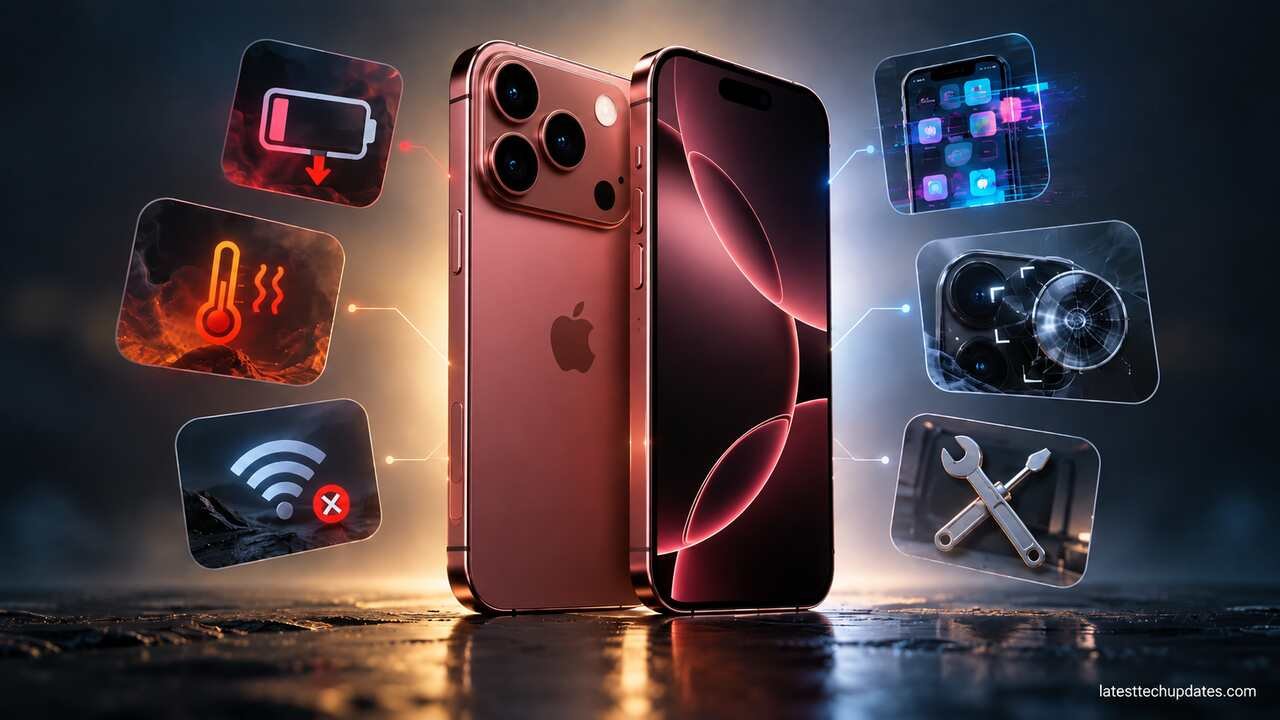
The iPhone 18 Pro Max has only been on sale since September 18, 2026, so it is too early to make strong claims about multi-year reliability. What we can evaluate now are confirmed launch bugs, early owner reports, Apple’s troubleshooting guidance, the phone’s repair design, and the hardware characteristics that are likely to matter after several years of ownership.
The most important confirmed problem so far is a Face ID-related bug that can cause some iPhone 18 Pro and iPhone 18 Pro Max devices to freeze and restart after a failed authentication attempt. Apple has told 9to5Mac that a software fix is coming. As of September 25, Apple still lists iOS 27 as the latest public iOS release, so owners should not assume that fix has already arrived.
Other complaints, including excessive heat, fast battery drain, SOS or cellular problems, and connectivity issues, require more caution. There are early user reports, but there is not yet enough evidence to describe most of them as widespread iPhone 18 Pro Max hardware defects.
iPhone 18 Pro Max Problems at a Glance
| Problem or concern | Current status | First thing to do |
| Face ID failure followed by freeze or restart | Confirmed software problem affecting some devices | Install Apple’s fix when available and temporarily use the passcode if needed |
| Phone feels hot after setup | Often normal during setup, restore, updates, or heavy processing, but persistent heat needs investigation | Allow setup to finish, restart, update iOS, and check battery usage |
| Charging slows or stops when hot | Normal iPhone thermal protection can cause this | Let the phone cool and avoid demanding use while charging |
| Fast battery drain | Some early reports, but not established as a general hardware defect | Check background activity, setup processes, apps, signal quality, and iOS updates |
| SOS or No Service | Early reports exist, but carrier and account problems can produce the same symptom | Toggle Airplane Mode, restart, check carrier status, and verify SIM/eSIM service |
| Wi-Fi or Bluetooth problems | Not established as a widespread iPhone 18 Pro Max defect | Restart the phone and network equipment, then isolate the affected network or accessory |
| Camera blur or focus problems | No clear widespread defect currently established | Clean lenses, remove magnetic accessories or cases, restart, and update iOS |
| Expensive or complicated future camera repair | A genuine ownership consideration, not a known failure epidemic | Protect the camera area and consider repair coverage |
| Battery shipping preparation | Intended behavior, not a defect | Use Prepare to Ship before sending an activated iPhone 18 Pro Max |
1. Face ID Can Freeze and Restart the iPhone 18 Pro Max
This is the clearest iPhone 18 Pro Max launch problem identified so far.
Some owners have found that when Face ID fails while authenticating inside a protected app, the phone can stop responding and eventually reboot. 9to5Mac reproduced the behavior on an iPhone 18 Pro and reported that it can occur after a failed Face ID attempt followed by another authentication attempt. The publication later reported that Apple confirmed a software update is being prepared to address the issue.
The redesigned Face ID system is relevant because Apple moved part of the TrueDepth camera system beneath the display on the iPhone 18 Pro generation. Apple’s current Face ID support documentation also includes specific guidance for these models.
What to do

First, check Settings > General > Software Update regularly and install Apple’s bug-fix release when it becomes available.
Until then, if a particular locked app repeatedly triggers the problem, using your passcode instead of repeatedly retrying Face ID is a reasonable temporary workaround.
For normal Face ID recognition problems, Apple recommends checking that the TrueDepth camera area is clean and unobstructed, removing problematic screen protectors, restarting the iPhone, and resetting Face ID if necessary.
If the phone continues restarting after Apple’s software fix is installed, or if it reboots when Face ID is not involved, contact Apple Support. Repeated unexpected restarts can have causes unrelated to this specific launch bug.
2. iPhone 18 Pro Max Gets Hot or Feels Warmer Than Expected
Some early owners have reported an iPhone 18 Pro Max becoming unusually warm while performing relatively ordinary tasks, sometimes together with battery drain or charging interruptions. These reports are worth monitoring, but they do not yet prove a general thermal defect.
A new iPhone can also become noticeably warm during completely normal activity.
Apple says an iPhone may become warmer during initial setup, restoration from a backup, a major software update, wireless charging, gaming, intensive camera use, and high-quality video streaming.
This matters particularly during the first few days of ownership. Restoring photos, downloading apps, syncing iCloud content, analyzing photo libraries, and finishing background setup can consume considerably more processing power than normal daily use.
When warmth is normal
Warmth by itself does not necessarily mean the phone is overheating.
The more useful signs of a real thermal problem are:
- A temperature warning appears.
- Charging repeatedly stops during light use.
- The display becomes unusually dim because the phone is regulating temperature.
- Performance falls dramatically.
- The camera flash or camera functions become unavailable because of heat.
- The phone remains very hot even after background setup has finished and you are performing simple tasks.
Apple states that iOS can reduce performance, dim the display, weaken cellular radio activity, disable some camera features, or pause charging when temperatures become excessive.
How to reduce overheating
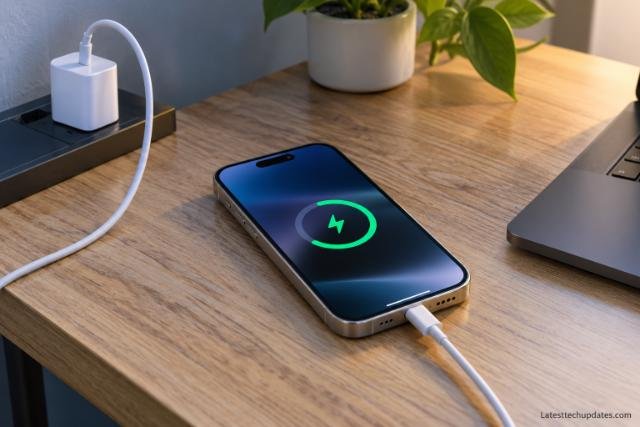
Start with simple changes. Restart the phone, install current iOS updates, and give a newly restored device time to complete background processing.
When charging, keep the iPhone away from direct sunlight and other heat sources. If a thick case traps substantial heat during charging, temporarily removing it can help the phone cool more effectively.
Avoid running a demanding game, recording long high-resolution videos, using navigation in direct sunlight, or performing similarly intensive work while fast charging if you are already experiencing heat problems.
Apple specifies an ambient operating range of 0°C to 35°C. Prolonged exposure to very hot conditions can also accelerate battery aging.
3. Charging Stops or Says Charging Is on Hold
If your iPhone 18 Pro Max becomes warm and charging slows or stops, the charger is not necessarily broken.
iOS includes thermal charging protection. When the phone becomes too hot or too cold, it can automatically reduce or pause charging until its temperature returns to a safer range. Apple says this applies to wired, MagSafe, and other wireless charging methods.
If you see a temperature-related charging message:
- Disconnect the charger if the phone is very hot.
- Move the iPhone away from sunlight or another heat source.
- Stop gaming, video recording, navigation, or other demanding activity.
- Remove a heat-trapping case if necessary.
- Allow the phone to cool naturally.
- Reconnect the charger and check whether normal charging resumes.
Do not place a hot iPhone in a refrigerator or freezer. Rapid temperature changes and condensation can create additional problems.
4. Battery Drains Quickly
Early battery drain does not automatically mean the battery itself is defective.
The iPhone 18 Pro Max actually has a substantially larger battery than previous Pro Max generations, and Apple rates it for up to 45 hours of video playback under its controlled test conditions. Real-world runtime will depend on cellular signal, display brightness, apps, camera use, gaming, background activity, navigation, and other factors.
New-device setup can temporarily make battery life look much worse than it will be after several days.
Check what is actually using the battery
Open Settings > Battery and review activity by app.
Look for an app using an unusually large amount of energy, excessive background activity, or long periods of poor cellular coverage. Weak cellular reception can increase power consumption because the phone continually works to maintain a connection.
Also check whether a large photo library, iCloud restore, app downloads, or software update recently occurred.
If battery drain remains severe after the phone has been fully configured and updated, restart it and continue monitoring Battery settings. Persistent drain combined with abnormal heat is a stronger reason to contact Apple than slightly disappointing battery life alone.
5. Battery Health Over Several Years
Battery degradation is unavoidable. The lithium-ion battery is a consumable component.
Apple states that batteries in iPhone 15 and later models are designed to retain 80 percent of their original capacity after 1,000 complete charge cycles under ideal conditions. Actual degradation depends on temperature history, charging patterns, use, and other factors.
That specification should not be interpreted as a guarantee that every iPhone 18 Pro Max battery will show exactly 80 percent health at cycle 1,000.
How to improve long-term battery life
Heat deserves more attention than constantly trying to keep the battery at an exact percentage.
Leaving the phone in a hot car, repeatedly charging it while it is already extremely warm, or performing demanding workloads in high temperatures can accelerate chemical aging.
Apple’s charging features can also reduce the amount of time the battery remains completely full. Optimized Battery Charging learns your routine and may delay the final portion of charging until closer to when you normally unplug the phone.
A battery replacement after several years should be considered normal maintenance rather than evidence that the phone itself has failed.
6. SOS, No Service or Cellular Connection Problems
There are already individual reports of iPhone 18 Pro Max owners seeing SOS mode unexpectedly. At this stage, however, these reports are not enough to establish an iPhone 18 Pro Max cellular hardware defect. Carrier outages, account provisioning, eSIM activation, weak coverage, and network configuration can all produce the same symptom.
Apple recommends beginning with a very simple reconnection test:
- Turn on Airplane Mode.
- Leave it enabled for at least 15 seconds.
- Turn Airplane Mode off.
- Check whether cellular service returns.
- Restart the iPhone if the problem continues.
You should also confirm with your carrier that the account is active, the device is properly provisioned, and there is no outage in your area.
If the carrier confirms that the account and network are working normally and the iPhone repeatedly loses service in different locations, Apple can run additional diagnostics.
7. Wi-Fi or Bluetooth Disconnects
There is currently not enough reliable evidence to call Wi-Fi or Bluetooth instability a widespread iPhone 18 Pro Max hardware problem.
If it occurs, first determine whether the problem follows the phone or the network.
Try another Wi-Fi network. Check whether other devices are also having problems on your home router. Restart the router and iPhone. If your router offers separate frequency bands, testing another band can also help isolate interference or compatibility problems.
Apple advises leaving a network settings reset until simpler troubleshooting has failed because the reset removes saved Wi-Fi networks and passwords as well as cellular, VPN, and APN settings.
Bluetooth problems should be tested with another accessory when possible. If one pair of headphones fails but several other Bluetooth products work normally, the accessory may be the problem rather than the iPhone.
8. Camera Focus, Blur or Mechanical Camera Concerns
The iPhone 18 Pro Max introduces a 48MP Fusion Main camera with a physical variable aperture. Instead of relying entirely on software simulation, the camera contains a small mechanical iris that can change the aperture.
There is currently no strong evidence that this mechanism is experiencing widespread failures.
For ordinary camera problems such as blurry images or difficulty focusing, Apple recommends cleaning the lenses, removing cases or magnetic accessories that could interfere with the camera, restarting the phone, installing current software, and testing the cameras again.
The longer-term concern is repairability
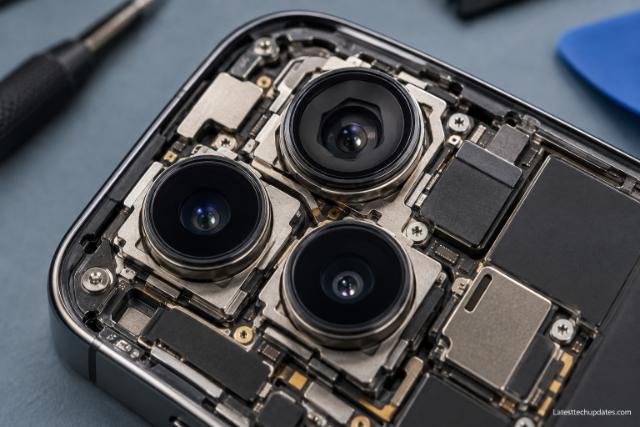
iFixit’s teardown found that the variable-aperture assembly is extremely intricate. If that mechanism eventually develops a hardware problem, repairing the tiny aperture itself is unlikely to be practical. Replacing the complete camera assembly would be more realistic.
That does not mean the aperture is likely to fail. There simply has not been enough ownership time to establish its long-term durability.
For buyers planning to keep the phone for four or five years, however, the addition of another mechanical component is worth remembering when considering accidental-damage coverage and future repair costs.
9. Prepare to Ship Can Look Like a Battery Problem
One unusual iPhone 18 Pro Max behavior is not a fault at all.
Its single-cell battery exceeds 20 watt-hours, which brings additional shipping requirements in many countries. Apple therefore uses a firmware system that temporarily limits battery capacity during shipping. Activating a new phone removes the factory limitation.
If you later need to mail an activated iPhone 18 Pro Max for repair, trade-in, return, resale, or another reason, Apple provides Settings > General > Transfer or Reset iPhone > Prepare to Ship.
The feature discharges the battery enough to comply with the shipping requirement and can impose an 80 percent charge limit. Apple notes that the device may become warmer than usual while deliberately discharging during this process.
This behavior should not be mistaken for sudden battery degradation.
The special preparation is required for shipping, not simply because you are carrying the phone on an aircraft. Apple states that the battery remains safe for air travel.
10. The iPhone 18 Pro Max Is Heavy
Not every ownership problem is a defect.
The iPhone 18 Pro Max weighs 249 grams and uses a 6.9-inch display. That gives users a very large screen and room for a larger battery, but it also makes this a substantial phone to carry and hold.
The weight can matter during long reading sessions, gaming, video recording, or one-handed use. Adding a thick protective case increases it further.
Someone moving from a smaller iPhone should consider ergonomics as part of long-term ownership rather than assuming that the largest model is automatically the most practical.
11. Water Resistance Will Not Remain Identical Forever
The iPhone 18 Pro Max has an IP68 rating under IEC 60529 and was tested for a maximum depth of 6 meters for up to 30 minutes under controlled laboratory conditions.
That does not make it permanently waterproof.
Apple explicitly states that water and dust resistance are not permanent conditions and can decrease through normal wear. Liquid damage is also not covered by the standard warranty.
This becomes more important after several years, particularly after drops, repairs, frame damage, or repeated exposure to water.
Treat water resistance as protection against accidents rather than permission to use the phone routinely underwater.
12. Repairability Is Better in Some Areas, but Still Complicated
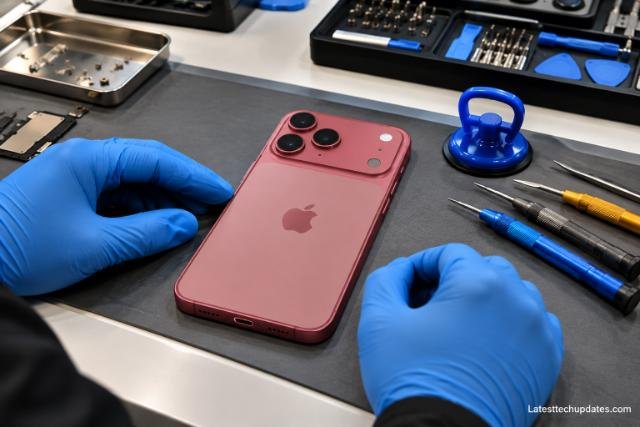
The internal design brings both good and bad news.
iFixit gave the iPhone 18 Pro models a provisional repairability score of 7 out of 10. It praised features such as the screwed-in battery tray and removable camera assemblies. However, it also found that many repairs still require access through the display. During its teardown work, the plastic display frame was damaged on three of four devices it opened, although iFixit specifically noted that more investigation is needed before determining whether this represents a wider problem.
The correct takeaway is not that iPhone 18 Pro Max screens are failing.
The concern is that some internal repairs may be delicate, and the long-term implications of the revised display construction are not yet known.
Apple offers battery, screen, back glass, and other repairs, while AppleCare plans can reduce the cost of covered accidental damage. Service availability and prices vary by region.
What I Would Do With a New iPhone 18 Pro Max
During the first week, I would avoid judging battery life based on the first day or two. I would let iCloud restoration, app installation, Photos processing, and other setup tasks finish.
I would also install iOS bug-fix updates promptly. This matters more than usual at launch because Apple has already acknowledged a software fix for the Face ID-related restart problem.
I would keep an eye on three things: unexpected restarts, persistent heat during light use, and unexplained battery drain after background setup has finished. Those symptoms deserve more attention than normal warmth while charging or temporary battery use after restoring a backup.
For someone planning to keep the phone for several years, I would also protect the large display and camera area, avoid unnecessary heat exposure, monitor battery health rather than obsessing over individual charging sessions, and plan for an eventual battery replacement.
When You Should Contact Apple
Contact Apple or an authorized service provider when:
- Face ID cannot be configured at all.
- The phone continues restarting after the relevant software fix is installed.
- It becomes extremely hot during simple use after initial setup is complete.
- A temperature warning repeatedly appears in normal indoor conditions.
- Battery drain remains extreme with no unusual app or background activity.
- Cellular service repeatedly disappears after your carrier has ruled out network and account problems.
- One or more cameras consistently fail after removing accessories, restarting, and updating iOS.
- Charging fails with several known-good chargers and cables.
- The phone shows signs of battery swelling or physical deformation.
Do not factory-reset the iPhone as your first troubleshooting step. A reset is disruptive and may not fix a hardware problem. If Apple Support recommends erasing the device, back up important data first.
Long-Term Ownership Outlook
There is not enough evidence yet to call the iPhone 18 Pro Max either unusually reliable or unusually problematic. It has been in customers’ hands for only about a week.
The confirmed Face ID restart problem currently looks like a launch software bug rather than a reason to assume the hardware is defective. The early heat, battery, and cellular complaints are worth following, but isolated posts should not be treated as proof of widespread defects.
The more predictable long-term concerns are easier to identify. The battery will chemically age. Water resistance can decline. The 249-gram body may remain inconvenient for users who prefer lighter phones. Repairs can still be expensive, and the sophisticated variable-aperture camera adds mechanical complexity even though there is currently no evidence that it is unreliable.
The iPhone 18 Pro Max therefore looks less like a phone with a proven reliability crisis and more like a newly released flagship going through the usual period in which early software bugs and isolated hardware reports have to be separated from genuine design problems.
Frequently Asked Questions
Does the iPhone 18 Pro Max have overheating problems?
There are early reports of phones becoming hot, but a widespread hardware overheating defect has not been established. New-device setup, backup restoration, charging, intensive apps, camera use, and hot environments can all raise temperature. Persistent excessive heat during light use deserves investigation.
Why does my iPhone 18 Pro Max restart when Face ID fails?
A software bug affecting some iPhone 18 Pro models can cause a freeze and restart after certain failed Face ID authentication attempts. Apple has told 9to5Mac that a software fix is planned.
Is iOS 27.0.1 available yet?
As of September 25, 2026, Apple’s security release page still lists iOS 27 as the latest public iOS version. Reports indicate iOS 27.0.1 is being tested, but owners should check Settings > General > Software Update rather than assume it is already available.
Is the iPhone 18 Pro Max battery likely to last several years?
It should be treated like any lithium-ion battery: capacity will gradually decrease. Apple says batteries in iPhone 15 and later models are designed to retain 80 percent of their original capacity after 1,000 complete cycles under ideal conditions. Actual results depend heavily on temperature and charging history.
Why does the iPhone 18 Pro Max need Prepare to Ship?
Its single-cell battery exceeds 20Wh, which triggers additional shipping requirements in many regions. Prepare to Ship temporarily lowers and limits usable battery capacity before the phone is mailed. It is an intentional shipping feature, not a defective battery.
Should I return my iPhone 18 Pro Max because of the Face ID restart bug?
The currently documented Face ID restart issue is expected to be addressed through software. A replacement should not automatically be necessary for that specific symptom. If the phone continues restarting after Apple’s fix, has unrelated restart problems, or fails Apple’s diagnostics, service or replacement becomes more relevant.
Final Assessment
The iPhone 18 Pro Max has one notable confirmed launch issue: a Face ID authentication bug that can freeze and restart some phones. Apple has already indicated that a software correction is coming.
Heat, battery drain, SOS mode, Wi-Fi problems, and camera complaints should be diagnosed individually rather than automatically blamed on defective iPhone 18 Pro Max hardware. Several have ordinary causes such as first-time setup, thermal protection, carrier provisioning, network conditions, accessories, or software.
For long-term owners, battery aging, heat exposure, water-resistance degradation, repair costs, the phone’s substantial weight, and the complexity of the new mechanical camera system are more meaningful concerns than most first-week complaints.
The most sensible approach right now is to keep iOS updated, monitor persistent problems after initial setup has finished, avoid unnecessary heat, maintain a current backup, and use Apple diagnostics or authorized service when a problem survives basic troubleshooting.
