

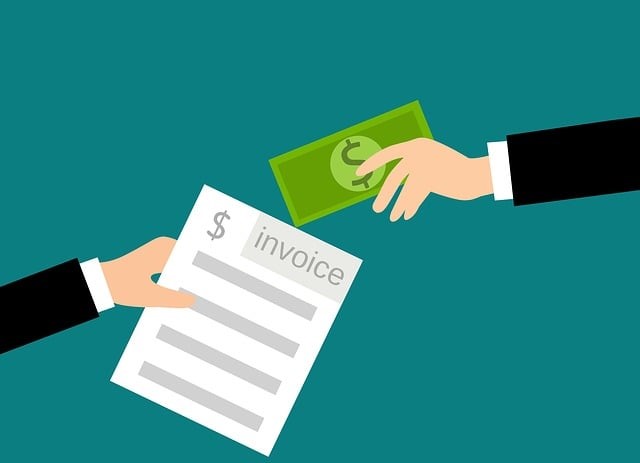
Did you know that 57% of invoices are entered manually? Manual bill processing is a previous technique that organizations have used for many years. This technique of processing invoices isn’t the simplest time-consuming; however, it’s also at risk of errors, which could cost more money.
That is why many businesses have switched to automate invoice processing workflows to lessen workload, boost accuracy, and save time, which is vital for strolling their day-to-day operations. This blog will discuss how to streamline invoice processing workflows and use accounts payable automation software programs.
Centralize Incoming Invoices
Centralizing incoming invoices streamlines the whole technique in your accounts payable department. You can effortlessly manipulate thousands of invoices from diverse resources, allowing you to stay on top of each charge and take quick movement when essential.
Automated debt payable software programs generally offer cloud-based software you can log into from anywhere, giving you the right to enter a centralized invoice vault. Here, the invoices may be effortlessly scanned, uploaded, and stored. This eliminates any confusion while more than one copy of invoices is inside the mailbox, reducing the risk of missing invoices.
Automated Data Entry
Manual records access of invoices can be time-consuming and prone to human error. Accounts payable automation software program facilitates automated records entry, limits the range of guide inputs wanted, and decreases mistakes.
Through the Optical Character Recognition (OCR) era, the software program can scan and seize statistics from invoices digitally, then routinely fit and file invoices to the corresponding purchase order. The AP specialist can set rules to ensure that invoices that meet particular standards (including a certain dollar quantity) are routed to specific people or groups.
Electronic Approval Workflows
Electronic approval workflows are an excellent way to reduce the time for invoices to be permitted and paid. Businesses can use an electronic approval system in preference to a guide device where invoices are routed around the office to be allowed by unique managers.
This gadget allows managers to approve invoices quickly and without difficulty with just a few clicks. Accounts payable automation software will enable businesses to set customizable workflows that automatically course invoices for approval, decreasing bottlenecks and clearance processing time.
Cost Savings
Accounts payable automation software programs can assist corporations in keeping costs by reducing guide exertions, putting off errors, improving performance, and lowering the time and assets required for processing invoices.
Automation can assist groups in deriving meaningful cost savings by streamlining invoice processing workflows, permitting faster processing instances, and reducing the range of invoice-related mistakes. Additionally, automation can help groups lessen the fees related to manual information access and processing and unfastened up sources for extra strategic activities.
Integration With Accounting Software Program
One of the advantages of using bills payable automation software is that it typically integrates with your current accounting structures. This integration makes shifting records between the 2 systems easy, a manner that might historically have required guide information entry.
This data-sharing reduces the risk of record errors and eliminates duplicate paintings, which is crucial for ensuring accuracy in financial reporting.
Real-time Visibility & Reporting
The next benefit of using a bills payable automation software program is actual-time visibility and reporting. AP automation software gives groups a dashboard that offers an overview of the whole thing happening with their invoices, including the variety of invoices processed, the approval frame of each invoice, and bills made. Real-time visibility and reporting give businesses the critical data they need to make informed choices and plan for the upcoming months.
Security and Compliance
Accounts payable automation software can help enhance security and compliance by imparting stable records transmission, encryption, and audit trails. Automation can assist in reducing the chance of fraud and errors by imparting more visibility and control over economic transactions.
Additionally, automation can assist corporations to live compliant with regulatory requirements by flagging invoices that do not meet accounting standards and presenting audit trails that can be used for compliance and reporting purposes.
Conclusion
Traditional invoice processing workflows may be time-consuming and susceptible to errors. Using accounts payable automation software, businesses can streamline their bill workflows and save time, which may be used to decorate vital business features.
Agencies will have a more excellent, efficient, and correct debt payable system through computerized statistics access, digital approval workflows, integration with accounting software, centralized invoicing, and actual-time visibility.
